Unofficial · for BTU Cottbus-Senftenberg
Every module and degree programme of BTU Cottbus-Senftenberg, in one place.
Modules with their contents, prerequisites, assessment and dates, degree programmes with the standard study plan from their examination regulations, and your own timetable: searchable and filterable, instead of wading through module handbooks.
- Modules
- 3,232
- Degree programmes
- 148
- Faculties
- 6
- Datesin Winter 2026/27
- 2,008
How to get started
Search nowCtrl KThree steps, one click each. Looking for one particular module? Type its title or number into the search at the top.
Choose a degree programme
Chosen once as “My programme”, it sets up the catalogue and your timetable.
Always underStudy
Find and save modules
Filters for semester, assessment or language; the bookmark puts a module on your saved list.
Always underModulesSaved
Build your timetable
Take over a whole semester of your plan, see clashes, get it all into your calendar.
Always underTimetable
Want to understand what Betula is first?What Betula doesBetula in detailQuestions and answers


Ways into the catalogue
All 3,232 modules- In the winter semesterModules offered in the winter semester1,742
- In the summer semesterModules offered in the summer semester1,492
- In EnglishModules taught in English691
- Interdisciplinary studiesFÜS modules of all faculties287
- Without a written examModules whose assessment names no written exam2,039
- With an oral examModules with an oral exam687
- In SenftenbergModules at the Senftenberg campus239
- UngradedModules completed without a grade238
Degree programmes by faculty
All 148 degree programmes- F1MINT - Mathematik, Informatik, Physik, Elektro- und Informationstechnik24
- F2Umwelt und Naturwissenschaften18
- F3Maschinenbau, Elektro- und Energiesysteme33
- F4Humanwissenschaften31
- F5Wirtschaft, Recht und Gesellschaft14
- F6Architektur, Bauingenieurwesen und Stadtplanung22
- ZfRVZentrum für Rechts- und Verwaltungswissenschaften2
- –Across faculties or not clearly assigned4
What Betula does
The same data as at BTU, prepared so that you can plan with it.
One search box for all modules
German and English titles and the module number in one search, across all faculties and on every page, with Ctrl+K or /. The results appear as you type.
Filters that work together
Degree programme, area, semester, offering, teaching form, assessment, credit points, language, location, lecturers and more, in any combination. Almost every one can be inverted (“everything but a written exam”), and every selection is a link.
Study plans from the regulations
Read from the PDFs of the examination and study regulations and checked against their own totals: semester by semester, with compulsory and elective modules and every study direction.
A timetable that thinks ahead
Plan modules or import a whole semester of your programme: Betula shows the week, finds clashes and exams too close together, and looks for modules that still fit. As an .ics file or a calendar subscription.
Dates from the course catalogue
Lectures, exercises and exams as a weekly schedule with the module, with rooms and A and B weeks. Placeholders in QIS, such as an exam at 1 a.m., show as “Time TBA” instead of a wrong time.
Prerequisites to click on
What a module requires, mandatory or recommended, leads straight to that module as a link, with the wording of the module description. A module that was replaced names its successor.
No account, nothing missing
Saved modules, your timetable, saved plans and your programme live in your browser instead of on a server. Links take them to other devices, a subscription into your calendar. No sign-up, no ads, no tracking.
Fast, offline, even without JavaScript
With JavaScript the catalogue is a database in your browser: search and filters answer at once, even without a network, and Betula installs like an app. Without JavaScript every page is complete HTML.
Honest about gaps
Where the source says nothing, the page says “not stated” and makes no guess, and what Betula derives, it says so. Every module links to its original at BTU.
In progressStudy progress: tick off the modules you have passed, check prerequisites
Betula in detail
What Betula does and how it is built, chapter by chapter, with pictures from the app itself.
The way to a module
Every question has a short way
Whether you come with a search term, with your degree programme or with a gap in your week: every way leads to the same module page, with everything on it.
- Search on every page
Type a title or module number; Ctrl+K or / jumps there. The list filters as you type.
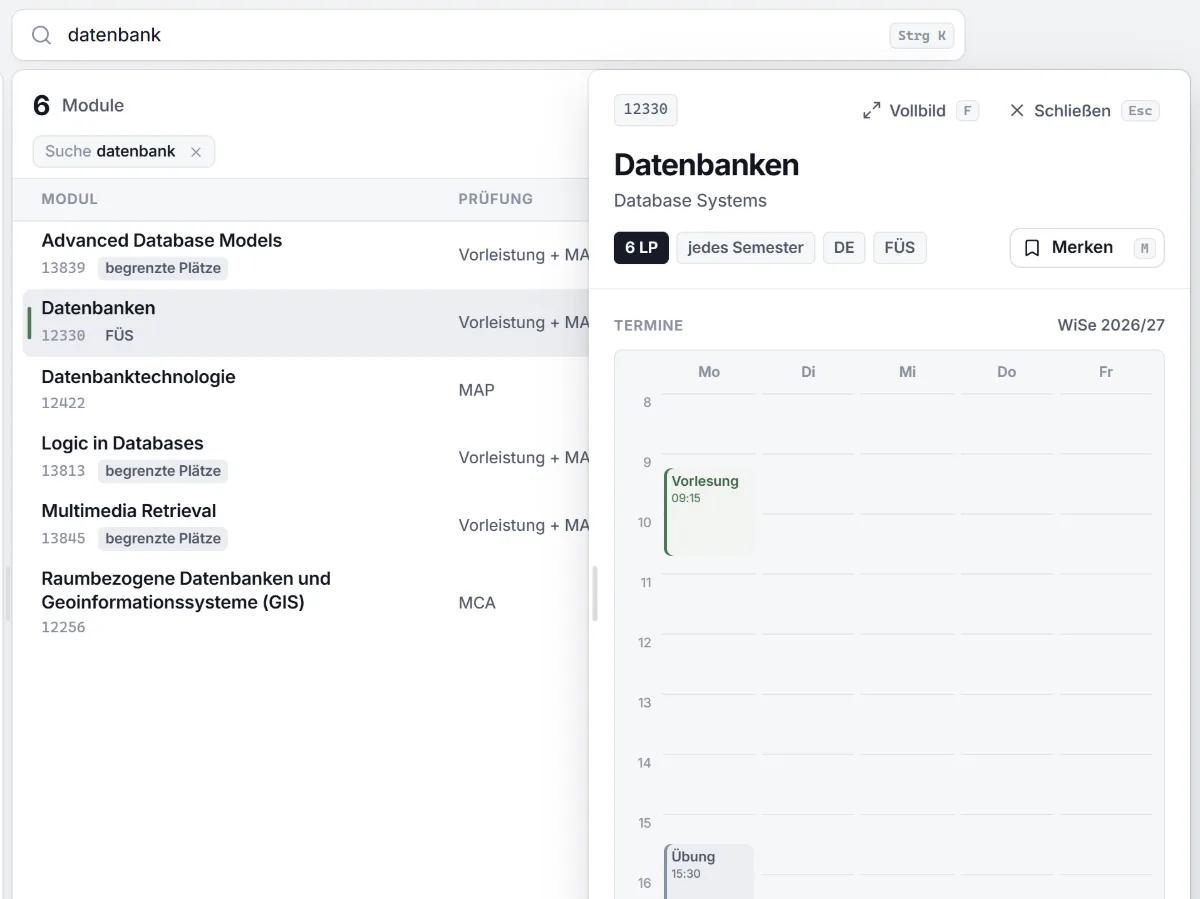
- Preview beside the list
The list, the filters and the scroll position stay put. F shows the module as a full page, Esc closes it.
- Every view is a link
Search, filters and the open module are part of the address: to share, to bookmark, and for Back.
- Quick by keyboard
↑ and ↓ move through the list, Enter opens, M saves. Every shortcut stands next to its button.
“What was that module on databases called?”
SearchResults as you type
“What is due in semester 3?”
Choose a degree programmeStandard study planSemester 3
“Which electives are taught in English?”
In the module catalogueAreaLanguage: English
“What still fits into my week?”
TimetableFits my timetable
The module page
- Contents and learning outcomes
- Assessment and credit points
- Dates as a weekly schedule
- Prerequisites
- Degree programmes with semester
Filters
A filter for every question
Degree programme, semester, offering, assessment, language, location, lecturers and more: all filters combine freely, and almost every one has three steps.
- With or without
One click keeps only the modules with that property, a second one leaves them out: “everything but a written exam”.
- Nothing disappears quietly
Leaving something out only removes what the data states. A module without the information stays in the list.
- With your programme
Curriculum or FÜS list, compulsory or elective, area and semester according to the standard study plan.
- The same everywhere
On a phone a sheet you swipe away, without JavaScript links and forms. “Reset” takes it all back.
Search
datenbankCtrl KGerman or English title and module number, or part of one.
Degree programme
infomatik bscInformatik B.Sc.Forgives typos and knows abbreviations; “My programme” comes first.
With a programme
CurriculumFÜSCompulsoryCompulsory electiveThesisInternshipNot statedPraktische InformatikAll123456?A semester also lists the electives the plan asks for there; “?” the modules without a semester.
Dates
ConfirmedFits my timetable“Confirmed”: only modules with published dates. “Fits my timetable” compares lectures, exercises and exams with your week.
Offered in
WinterSummerIrregularlyTeaching form
LectureExerciseSeminarPracticalProjectExcursionExam
WrittenOralPaperPresentationProjectPracticalA module with several parts of assessment is listed under each of them.
Credit points
6–12 CPTwo handles from 0 to 30, no upper limit at the right end.
Language
GermanEnglishProperties
GradedLimited placesFÜS listSavedMore filters
Lecturers
Search names+at least one of these people×none of these people
Chair
All chairsDuration
Any1 semester2 semestersOnly in certain years
AnyEvenOddLocation
Central Campus CottbusCottbus-SachsendorfSenftenbergShow modules no longer offeredThe location is known only for modules with rooms stated in this semester.
Order
ModuleCPDatesWith a click on the column head, ascending or descending; within a programme in the order of its plan.
Study plans
From the regulations' PDF into a clear matrix
Which modules belong in which semester is stated at BTU only as a table in the PDF of the examination regulations. Betula has read the regulations and made their plans machine-readable.
- degree programmes with a checked standard study planof 148 in their current examination regulations
- 129
- Read cell by cell
The semester columns come from the geometry of the table, including merged cells, ranges such as 10–24 CP and modules over several semesters.
- Checked against their own totals
What does not add up or stays unclear is not guessed but checked by hand. Every plan says where it comes from.
- AI only as a helper
A language model assigns module numbers and kinds. Semesters and credit points always come from the cells.
- Every study direction its plan
And rows without a module, such as “Wahlpflichtmodul aus der Informatik”, lead to the areas they mean.
CompulsoryCompulsory electiveThesis
Timetable
Your semester as a week, without nasty surprises
Plan modules one by one or import a whole semester of your standard study plan. Betula puts the dates into the week and shows what really clashes.
- Real clashes
Counted on the days on which dates meet: with A and B weeks, dates in only part of the semester and cancelled days.
- Exercise groups to choose from
A clash only counts once no group is free any more. ✓ and × decide right in the week.
- Exams in view
Betula warns when exams overlap or leave too little time to get between Cottbus and Senftenberg.
- Finds what still fits
“Fits my timetable” shows only modules in the catalogue that fit into your free time.
Example week1 clash per week
Download .icsApple CalendarGoogle CalendarOutlookCopy link to share
No account
No account. And yet nothing is missing.
Saved modules, your timetable, saved plans, calendar subscriptions and your programme all work without signing up, because they live in your browser instead of on a server.
- accounts and passwords
- 0
- trackers and ads
- 0
- requests to other servers
- 0
- days, then the access log is deleted
- 7
- To other devices
“Move to another device” carries your saved modules in a link. The part after the # never reaches a server.
- To share
“Copy link to share” passes a timetable on; whoever opens it can add its modules.
- Into any calendar
As a subscription for Apple Calendar, Google Calendar or Outlook that fetches new dates by itself.
- Built to collect little
No analytics, no cookies that recognise you, nothing from other servers. The server stands in Germany.
In your browser
- Saved
- Timetable
- Saved plans
- My programme
- Language, colours, widths
- Catalogue for offline
betula.app/en/bookmarks#m=…The part after # stays in the browserOn the server
Catalogue and pages, the same for everyone
Nothing of yours
Technology
Runs everywhere: with or without JavaScript, even offline
Every page comes from the server as finished HTML. With JavaScript an app written in Rust and running as WebAssembly takes over and computes right in your browser from then on.
- The same building blocks
Server and app show the same pages from the same components; the app just skips the trip through the network.
- From memory
The server builds every page once per data set and then delivers it from memory.
- Ready without a network
A service worker keeps the app ready, the catalogue lives in your browser, and Betula installs like an app.
- Quietly up to date
The app downloads new data in the background and uses it from the next start.
Without JavaScript
- Every page as complete HTML
- Filters as links and forms
- Every module, programme and plan
- For search engines and text browsers
With JavaScript
- Catalogue as an SQLite database in the browser
- Search and filters in milliseconds
- No loading times between pages
- Offline and installable as an app
- Saved modules and timetable
RustWebAssemblySQLiteService Worker
Data
From root to leaf
Betula is built like the birch it is named after: Radix, the root, fetches and checks BTU's data; Folia, the leaves, shows it to you.
- Read politely
With pauses between requests and mostly at night. Pages that were read are kept.
- Published only when checked
A new data set appears only when it passes every check; otherwise the previous one stays.
- Honest about gaps
“not stated” instead of a guess, what is derived is marked, and QIS placeholders such as 1 a.m. are recognised as “Time TBA”.
- Always with the original
Every module and programme page links to its source at BTU.
Devices and languages
On a computer and on a phone, light and dark
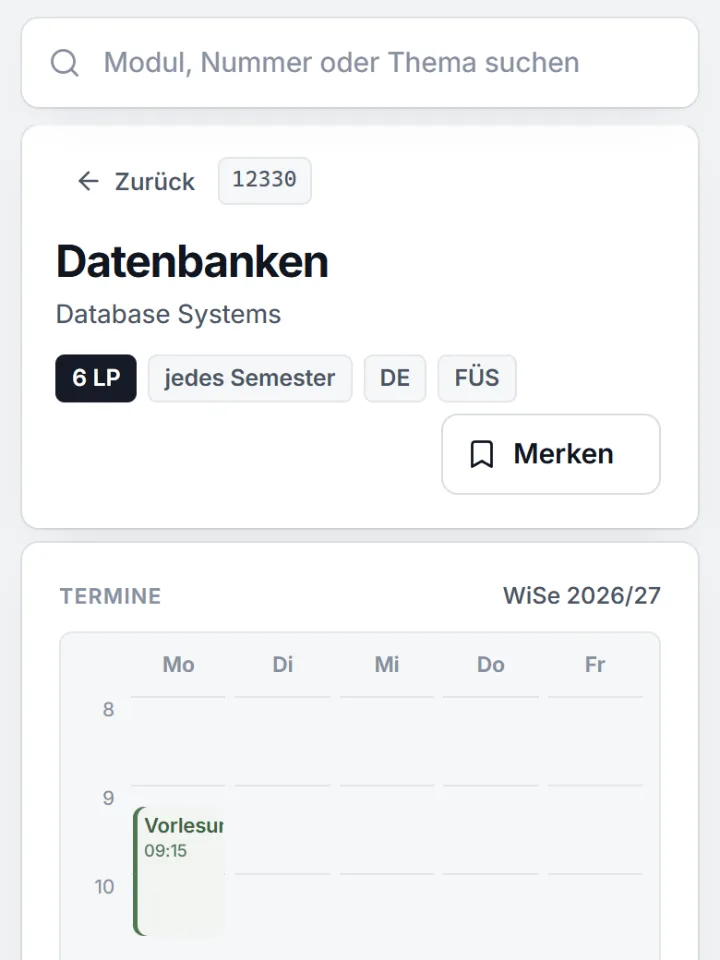
On a large screen, filters, list and preview stand side by side. On a phone the navigation sits at the bottom, and the filters open as a sheet you swipe away.
- German and English
Every page at its own address; module titles and descriptions are shown as BTU writes them.
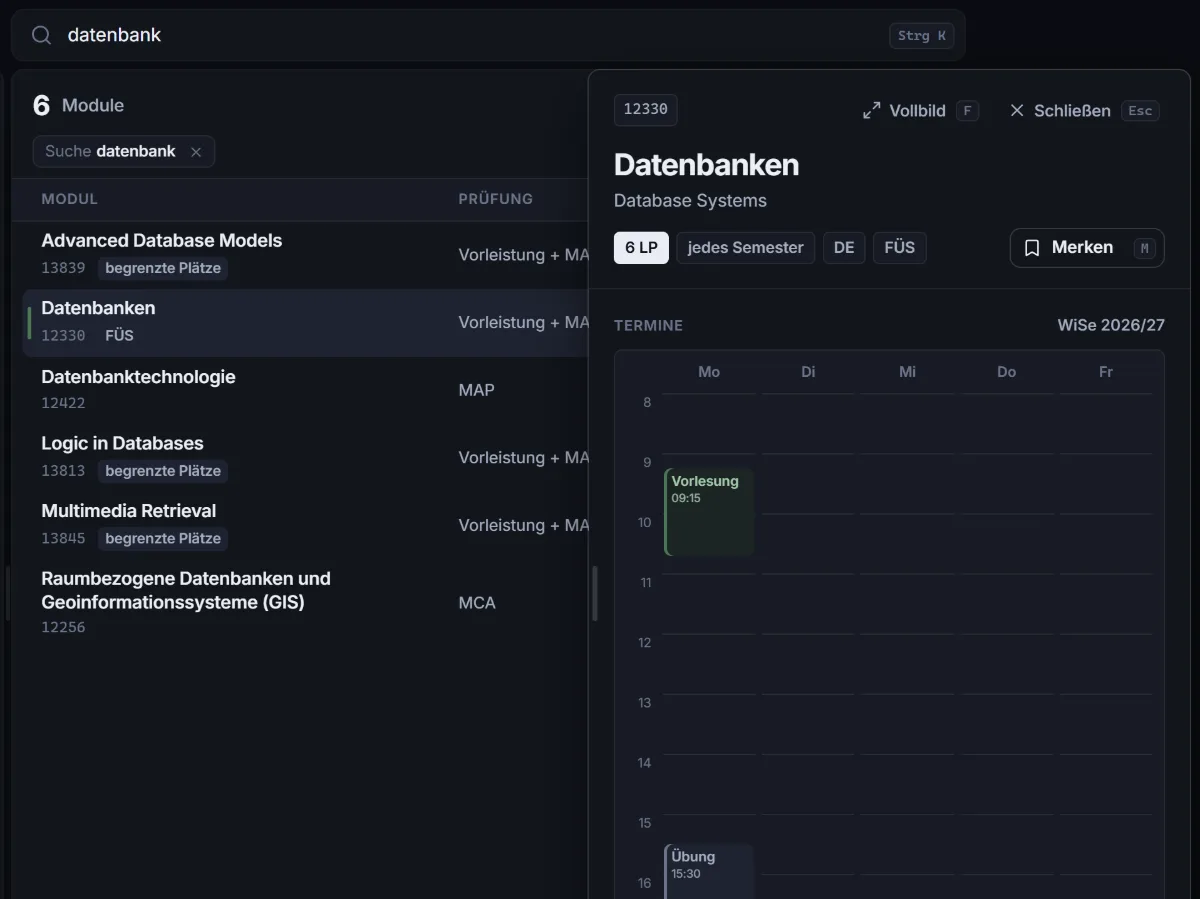
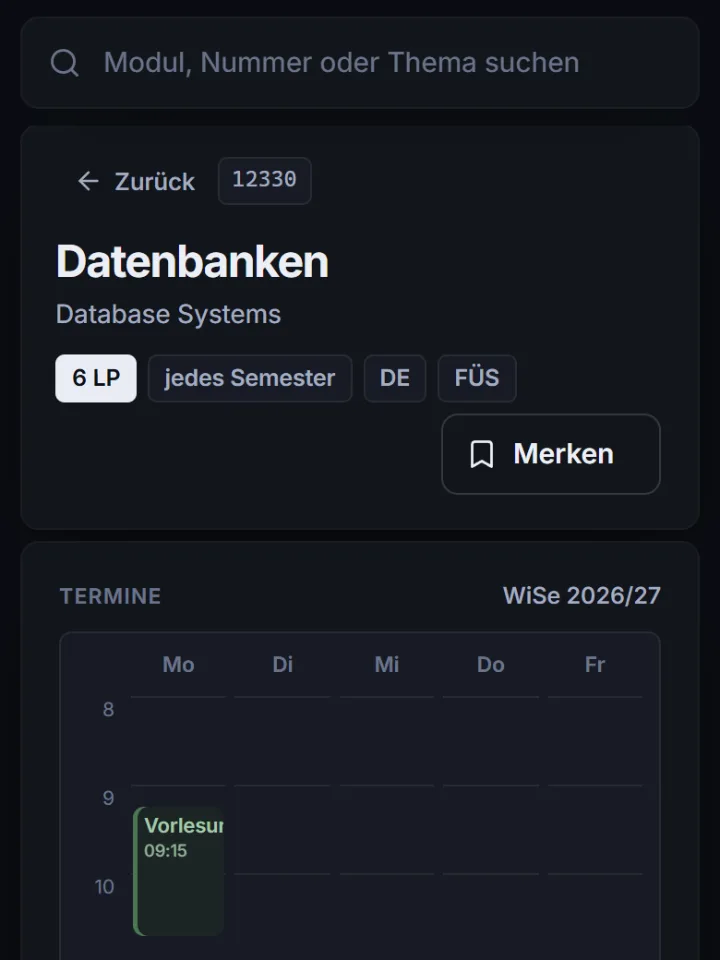
- Light and dark
Follows your system or your choice, down to the birch, whose leaves change with the seasons.
- Keyboard shortcuts
Ctrl+K searches, ↑ and ↓ select, Enter opens, M saves, F shows in full, Esc closes.
- Links with a preview
Shared modules and programmes show a card with title and key facts in messengers.
Ctrl K↑↓EnterMFEscDE · EN
Questions and answers
About Betula
Is Betula a service of BTU?
No. Betula is an unofficial, independent project and not part of BTU Cottbus-Senftenberg. Only the university's module descriptions, examination and study regulations are binding; that is why every page here links to its original.
Who makes Betula?
Betula is a private, independent project; BTU has neither commissioned nor reviewed it. Who is behind it and how to get in touch is in the legal notice. Reports of errors are welcome.
Why is it called Betula?
Betula is the Latin name of the birch. It is a pioneer plant and one of the first to grow on the land that mining has left behind in Lusatia. And BeTUla has BTU in it.
How does Betula work?
Betula has two parts, named after the birch. Radix, the root, reads BTU's public pages and the PDFs of its examination regulations, checks the result and publishes it as a data set: modules, degree programmes with their standard study plans and areas, the dates of the course catalogue. Folia, the leaves, is the web app you are looking at. Its server delivers every page as finished HTML; with JavaScript your browser loads the data set once as a database and from then on answers search and filters itself. Which versions are running is shown at the end of every page.
Where does the data come from?
From BTU's public sources: the module descriptions, the course catalogue and the module tree of each degree programme in the QIS portal, the list of interdisciplinary studies (FÜS), and the examination and study regulations BTU publishes as PDFs. Betula organises the information and makes it searchable; nothing in the content is changed and nothing is added. Where the source says nothing, the page says “not stated”.
How up to date is the catalogue?
Radix reads the sources continuously, in small steps and mostly at night: dates that are not settled yet every two hours, the course catalogue every night, module descriptions and degree programmes at least once a month. A new data set appears as soon as something has changed and it has passed every check; when that last happened is shown at the end of every page. Short-notice changes appear at BTU first, and if in doubt, the original applies.
Does Betula cost anything?
No. Betula is free, without advertising and without tracking: no analytics, no cookies that recognise you, and nothing is loaded from other servers. It is a private, non-commercial project.
Why is there no account? Is anything missing without one?
No. The account is left out on purpose, not the features: saved modules, a timetable with placeholders and chosen dates, saved plans, “My programme” and your settings all work without signing up, because they live in your browser instead of on a server. Nobody else can see them, and there is no password and no profile. Links take your saved modules and your timetable to another device, and a subscription takes the timetable into Apple Calendar, Google Calendar or Outlook.
Using Betula
How do I find the right module quickly?
Type a title or a module number into the search at the top (Ctrl+K or / jumps there), or start with a filter: degree programme, area, semester, offering, form of assessment, credit points, language, location, lecturers and more. All filters can be combined and almost all inverted, for example into “everything but a written exam”. Every selection is part of the address, so you can share it, bookmark it and go back with the browser's Back button. The section “Betula in detail” at the end of this page explains every filter.
What can the timetable do?
It shows one semester as a week. Modules come in with “Plan”, from your saved modules, or as a whole semester of your standard study plan, whose elective rows become placeholders. Betula counts clashes on the days on which dates really meet, with A and B weeks, and for exercises with several groups only when no group is free any more. It warns about exams that overlap or leave too little time to get from one site to the other, and “Fits my timetable” finds modules that still fit. You can take the plan along as an .ics file, as a calendar subscription that fetches changes by itself, or as a link to share.
Can I save modules?
Yes. Every module has a bookmark, and the M key does the same. Your saved modules are counted with their credit points, split into winter and summer, can be copied as text and work as a filter in the catalogue (“Saved”). They are kept only in your browser: no account, and none of it reaches the server.
Can I use Betula on several devices?
Yes, without an account. “Move to another device” copies a link that carries your saved modules behind the “#” of the address, and no browser sends that part to a server. You pass a timetable on with “Copy link to share”, to your other device or to other students, who can then add its modules to their own. And a calendar subscription shows your plan on every device your calendar runs on.
Does Betula work without JavaScript?
Yes. Every page comes from the server as complete HTML: the catalogue with all its filters, module pages, degree programmes and standard study plans work without JavaScript, as a classic website, for text browsers and search engines alike. With JavaScript an app written in Rust and running as WebAssembly takes over: it loads the catalogue into your browser once as an SQLite database and from then on answers every search and every filter itself, without loading times between pages. What lives in your browser, your saved modules and your timetable, needs JavaScript.
Does Betula work offline and as an app?
Yes. After the first visit with JavaScript the catalogue and the app are kept in your browser, and Betula starts even without a network. On a phone, tablet or computer it installs like an app, with its own icon on the home screen. The app downloads new data in the background and uses it from the next start.
Is Betula available in English?
Yes. The interface is in German and English, every page at its own address (/en). With JavaScript, Betula opens in your browser's language on the first visit and remembers your choice. Module titles and descriptions are shown as BTU writes them; many modules also have an English title, and you can filter for modules taught in English.
For your studies
How do I find the modules for my studies?
Through your degree programme. Which modules you take is set by its study and examination regulations; Betula prepares them and brings everything together in one place. Under “Choose a degree programme” you will find the standard study plan semester by semester (where the regulations contain one), the compulsory elective areas and all modules of the programme; “In the module catalogue” opens the catalogue narrowed down to it. A click on a module shows its contents, dates and exam. Set as “My programme”, it is preselected in the catalogue and the timetable.
What is a module, and what does a module description say?
A module is a self-contained unit of teaching, usually over one semester, for which you get credit points (CP). The module description names its contents and learning outcomes, forms of teaching and workload, prerequisites, the assessment, when it is offered and who is responsible. Together, the descriptions make up the module handbook of a degree programme.
What are credit points (CP)?
Credit points, also called ECTS points, measure the workload of a module: lectures, exercises and self-study together. One point stands for about 25 to 30 hours. A semester according to the standard study plan usually comes to 30 CP.
What do compulsory and compulsory elective mean?
Everyone in the degree programme takes the compulsory modules. For compulsory electives you choose from an area set by the regulations until you have the required credit points. Betula shows the areas of every degree programme under “Electives & areas”, and in the catalogue the “Area” filter narrows the list down to one of them.
When is a module offered?
Its description says when it is offered: in the winter semester, in the summer semester or every semester, some modules only in even or odd years. You can filter by all of it in the catalogue. Whether a module really takes place in the current semester shows in its dates: they are shown with the module as a weekly schedule, and the “Confirmed” filter hides every module without published dates.
Where do I register for modules and exams?
Not on Betula. Registration goes through BTU's systems; deadlines and rules are stated there and in your examination regulations. Betula helps you plan and links every module to its original.